
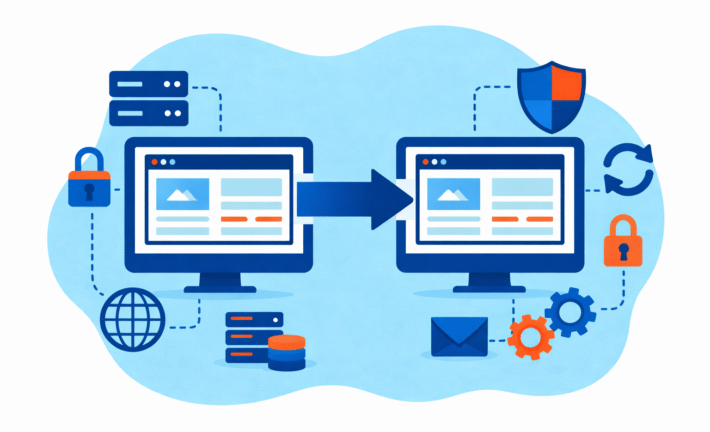
How to Switch WordPress Agencies Without Breaking Production

By Maciej Nowak
Switching WordPress agencies means transferring development control of a live website from one team to another – without losing data, breaking functionality, or causing downtime. The stakes are high: your site generates revenue, captures leads, and represents your brand around the clock. The key principle is simple: prepare everything before you announce anything.
If you rush the transition or rely on your old agency to cooperate perfectly, things go wrong. DNS records get misconfigured and email stops working. Plugin licenses expire mid-checkout. Deployments break because nobody knows how the code gets from development to production. These problems happen regularly – we see them in a significant share of the takeovers we handle.
This guide gives you a concrete process to switch agencies safely. It covers what to secure, how to run the handover, when you need an audit, and what the first month with a new team should look like.
The Real Risks of Switching Agencies
Switching agencies is not just a business decision. It is a technical operation on a live system. Here is what actually goes wrong.
Access lockout
Your old agency registered the hosting account under their company name. When the relationship ends, you discover you cannot log in. Worse, they registered your domain through their reseller account, and now transferring it requires their cooperation – which you may not get. Or get a surge rate. Or on a project basis at the end of the long list of tasks for a junior AE.
One of our clients came to us migrating from previous agency. During audit it turned out the client has only access to the production website with a minified CSS and JS files. Effectively preventing any further development without reverse engineering the front-end layer first.
DNS and email incidents
Someone changes DNS records during the handover without understanding that the same zone file controls both the website and company email. The website moves to the new server. Email stops arriving. Nobody notices for hours, sometimes days.
Plugin license gaps
Premium plugins like WooCommerce extensions, ACF Pro, or Gravity Forms are licensed to the old agency’s account. When they deactivate their licenses (or their subscription lapses), your plugins stop receiving updates – or stop working entirely. On a WooCommerce store, a deactivated payment gateway plugin means lost orders.
No backups or broken restore
“We have backups” is not the same as “we tested restoring from those backups.” Many agencies run automated backups that have never been verified. When you need them most, you discover the backup is incomplete, corrupted, or stored on the same server that failed.
No staging environment
The old agency made changes directly on the production site. The new agency wants to set up proper staging, but the deployment process is undocumented. Nobody knows if the site uses Git, FTP, or something custom. The first change the new team tries to push breaks the live site.
The takeaway: Every one of these problems is preventable. You prevent them by auditing your access and infrastructure before you announce the switch.
Before You Tell Your Old Agency: Prepare the Takeover
Do this work quietly, before any difficult conversations. You are not being sneaky – you are being responsible. Once you announce you are leaving, priorities on both sides shift, and getting cooperation on access handover becomes harder.
Go through this checklist and document what you have, what you are missing, and what you need to secure.
WordPress admin access
Log into yoursite.com/wp-admin right now. If you can, good. Check that your account has Administrator role, not Editor or something lower. If you cannot log in, or if only the agency has admin credentials, flag this as your top priority.
Hosting panel access
Do you know who hosts your site? Can you log into the hosting dashboard (cPanel, Plesk, WP Engine, Kinsta, whatever it is)? Is the account in your name or the agency’s?
Where to check: search your email for messages from hosting companies. Look for welcome emails, billing receipts, or renewal notices.
The bottom line is: Are you paying the host directly and invoice is on your name or do you pay your agency. At the end of the day you want to own your hosting.
DNS and domain registrar access
Go to lookup.icann.org and enter your domain. The “Registrar” field tells you which company manages it. Then check whether you can log into that registrar’s account. If the domain is registered under the agency’s account, you need to address this before anything else.
You can say you are tidying up company accesses and part of it is to take ownership of key brand assets including domain name.
Payment providers (WooCommerce)
For WooCommerce stores: are your Stripe, PayPal, or other payment gateway accounts registered under your company? Or did the agency set them up under their own accounts? Check your gateway dashboards directly.
Analytics and Tag Manager
Verify you own your Google Analytics property and Google Tag Manager container. Log into analytics.google.com and tagmanager.google.com to confirm. If the agency set these up under their Google account, you will lose historical data when they revoke access.
Plugin licenses
Make a list of premium plugins on your site (check the Plugins page in wp-admin). For each one, determine: who purchased the license? Where does the license key come from? When does it expire? Transfer any licenses tied to the agency’s account to your own.
Backups and restore test
Find out where your backups are stored. Then ask yourself: have you ever tested a restore? If not, do it now on a staging environment. A backup that cannot be restored is not a backup.
CDN, WAF, and DNS proxy
If your site uses Cloudflare, Fastly, Sucuri, or similar services, check who owns that account. Sometimes the domain points to the agency’s Cloudflare account even when the registrar is yours. This creates a hidden dependency that surfaces during migration.
SSL certificates
Who manages your SSL certificate? Is it auto-renewed through the hosting provider (Let’s Encrypt), or is it a manually installed certificate that expires on a specific date? Check when it expires and who has access to renew it.
Google Search Console
Log into search.google.com/search-console and verify you have owner-level access to your property. If the agency set this up, you may only have delegated access – or no access at all. Losing Search Console means losing visibility into how Google sees your site.
Monitoring and error tracking
Does your site use uptime monitoring (UptimeRobot, Pingdom) or error tracking (Sentry, New Relic)? Who receives the alerts? If these are configured under the agency’s accounts, you will not know when something breaks until customers tell you. You don’t have to migrate them, just set them up again on your own.
Email and SMTP
WordPress sends emails: password resets, order confirmations, form submissions, admin notifications. Check how email is configured. Is it using the server’s default mail, or a plugin like WP Mail SMTP connected to SendGrid, Mailgun, or Amazon SES? If those accounts belong to the agency, email stops working when they revoke access.
A note on ownership vs. access
For each item above, distinguish between ownership (the account is registered to your company, billed to your payment method) and access (you can log in, but someone else owns it). Access can be revoked. Ownership cannot. The goal is ownership of everything critical.
The takeaway: Print this checklist. Go through it item by item. Every box you can check is one less thing that can go wrong during the handover.
Safe Handover Process: Step by Step
Once your access is secured, here is how a controlled agency switch works. This is the process we use at Osom Studio when taking over WordPress and WooCommerce sites, and it is similar to what any experienced takeover agency should follow.
Step 0: Lower DNS TTL (if migration is planned)
If the takeover involves moving to new hosting, reduce your DNS TTL (time-to-live) to 300 seconds (5 minutes) at least 24-48 hours before the migration. This ensures that when you update DNS records, the change propagates quickly instead of being cached for hours. Skip this if you are staying on the same hosting.
Step 1: Freeze risky changes
Tell both agencies (old and new) that no significant changes go to production during the transition period. Bug fixes for active issues are fine. New features, plugin updates, and PHP upgrades wait. You want a stable baseline, not a moving target.
Step 2: Create a current backup
Not last week’s automated backup. A fresh, full backup: database, all files (wp-content, themes, plugins, uploads), server configuration, and .htaccess or Nginx rules. Store it somewhere you control – your own cloud storage, not the agency’s server. Then verify you can restore it. A backup you have never tested is not a backup.
Step 3: Set up staging
The new agency creates a staging environment that mirrors production. This is where they will test everything before touching the live site. If no staging exists and no deployment process is documented, setting this up is the first real work the new team does.
Important: staging must be password-protected and blocked from search engines (noindex). Unprotected staging environments leak to Google and cause SEO problems – duplicate content, indexed test pages, or worse.
Step 4: Verify deployments work
Before making any changes, the new agency pushes a trivial, harmless update through the deployment pipeline to production. A comment in a template file. A version number change. Something that confirms the process works from staging to production without breaking anything.
Before this test deployment, agree on a rollback plan: what happens if the change breaks something? Who reverts it, and how quickly? This sounds paranoid for a one-line change, but it establishes the muscle memory for handling real incidents later.
Step 5: Run a baseline audit
The new agency documents the current state of the site: code quality, security posture, plugin stack, WordPress and PHP versions, hosting configuration, performance metrics. This becomes the reference point for all future work. You cannot measure improvement if you do not know where you started.
Step 6: Make the first real release
Now – and only now – the new agency makes their first meaningful change. Something small and reversible. Fix a known bug. Update a plugin that has been out of date. Apply a security patch. Ship it through the proper staging-to-production process.
If this goes smoothly, the handover is working. If something breaks, the staging and backup infrastructure catches it before customers notice.
Step 7: Post-handover security hygiene
Once the new agency is operational, clean up the access trail:
- Remove the old agency’s WordPress admin accounts (or demote them to a non-admin role if you want to preserve edit history).
- Rotate passwords and API keys they had access to: hosting panel, payment gateways, SMTP services, CDN, monitoring tools.
- Review who has access to your domain registrar and hosting – remove anyone who should not be there.
- Enable two-factor authentication on all critical accounts if not already active.
Purging old credentials is a healthy security precaution. Former credentials floating around are a security risk regardless of how the relationship ended.
For a full hardening checklist beyond credential rotation, see our WordPress security guide.
The takeaway: This process takes one to three weeks depending on site complexity. Do not let anyone rush it. A careful transition is faster than cleaning up a botched one.
When You Need an Audit First
Sometimes a checklist and a clean handover are not enough. Some sites need a full code audit before a new agency can safely take over.
Inherited site with unknown code
The previous agency built custom functionality, but nobody documented what it does or how it works. The theme has thousands of lines of custom PHP. There are custom database tables. Nobody at your company knows what happens if you remove or update any of it.
An audit maps out what exists, what it does, and what is safe to change.
Repeated incidents
The site keeps breaking. Pages crash. The checkout fails intermittently. Forms stop sending notifications. If your site has a pattern of unexplained problems, there are underlying issues that a surface-level handover will not catch.
High-revenue WooCommerce store
When your site processes significant monthly revenue, every hour of downtime costs real money. A checkout bug during a sale event is a direct revenue hit. For stores where the site is the business, an audit is not optional – it is insurance.
Especially in ecommerce environment, if the website has performance issues and a bloated plugins library, a code audit is highly recommended. The reason is, ecommerce is a highly complex software stack with a lot of dependencies. If your platform already has 30+ plugins, this means it is probably suffering from the previous agency’s corners-cutting malpractice. Code review should reveal all these weaknesses and provide a clear plan on how to get the website to a good shape that would enable the business to run smoothly.
Unknown custom code or integrations
Your site connects to an ERP, a CRM, a custom shipping API, or a third-party inventory system. These integrations were built by the previous agency, and you do not have documentation. Touching the site without understanding these connections risks breaking business-critical data flows.
If you are unsure whether you need an audit, ask the new agency to assess this during their initial review. A good agency will tell you honestly – they would rather bill you for a planned audit than deal with surprises during the handover.
How to Evaluate a New Agency for Takeovers
Not every WordPress agency is good at taking over existing sites. Building from scratch and inheriting someone else’s code are very different skills. Here is how to tell the difference.
Questions to ask
- “How many sites have you taken over from other agencies in the past year?”
- “Walk me through your takeover process, step by step.”
- “What do you do before you touch any code?”
- “How do you handle situations where access is incomplete?”
- “What does the first month look like after you take over a site?”
- “What if something breaks during the transition — what is your incident response?”
- “Will we own the hosting account, domain, and code repository — or will those be in your name?”
- “How do you handle monitoring and alerting? Will we have visibility, or only you?”
What good answers sound like
Good answers describe a process, not a promise. Compare:
Weak answer: “We are experts at this. We will take care of everything. Do not worry.”
Strong answer: “First we audit your access and infrastructure. Then we set up staging, create a fresh backup, and run a baseline assessment. We make a trivial deployment to verify the pipeline works. Only then do we start making real changes. The first month is stabilization – we fix urgent issues and document everything before proposing a roadmap.”
The difference is specificity. An agency that has done this before can describe the steps because they have a repeatable process. An agency that has not done this will give you confidence without detail.
Warning signs
- They want to start coding on day one without auditing access or infrastructure.
- They cannot describe their takeover process – only their development process.
- They are reluctant to set up staging (“we will just be careful on production”).
- They promise a specific timeline before seeing the site.
- They do not ask about your deployment process, backup strategy, or hosting setup.
- They have no questions for you. An agency that has done takeovers knows exactly what to ask, because they have been burned by missing information before.
The best predictor of a safe takeover is an agency that asks you more questions than you ask them.
What to Expect in the First 30 Days
You have switched agencies. The handover is done. Now what? Here is what a healthy first month looks like, and what should concern you.
Week 1-2: Stabilization
The new agency focuses on understanding the site, not changing it. They review the audit results (if one was done), document the codebase, and fix anything that is actively broken or poses a security risk. This is not the time for new features.
If you have a backlog of bugs or issues from the old agency, the new team triages them: what is urgent, what is important, and what can wait. Expect clear communication about what they found and what they recommend addressing first.
Week 2-3: First improvements
Small, safe changes start shipping. Bug fixes, security patches, overdue plugin updates. Each one goes through the staging-to-production process established during the handover. The pace is deliberate. Speed comes later, once the team knows the codebase.
Week 3-4: Roadmap and priorities
By the end of the first month, the new agency should present a prioritized list of what they recommend working on – and in what order. This is based on what they learned during stabilization, not guesses from the sales call.
At Osom Studio we prioritize security first approach. What’s most important for us is that the client will not get hacked. We first patch any potential security vulnerabilities before moving to any more pressing matters. Since we work a lot with ecommerce, security of users personal data and the client payment systems is what we want to protect at all cost.
Communication cadence
During the first month, expect more communication than usual. Weekly status updates at minimum. Clear escalation paths for urgent issues. The agency should proactively tell you what they found, not wait for you to ask.
If communication is already sparse in month one, that is a red flag. Month one is when agencies are most motivated to impress you. If they are slow to respond now, it will only get worse.
Incident handling
Ask the new agency this question before you sign: “If our site goes down on a Saturday night, what happens?” A good answer includes a specific person, a specific response time, and a specific process. “We will handle it” is not an answer.
The takeaway: The first month is about trust-building, not feature delivery. If your new agency tries to rush into feature work without stabilizing first, they are optimizing for looking productive rather than being safe.
FAQ
Can I switch agencies without my old agency knowing?
Yes, and in most cases you should prepare without announcing. Secure all your credentials and access first (see the checklist above). You do not need the old agency’s permission to hire a new one. You only need their cooperation if they control access you cannot get independently – hosting accounts in their name, domains registered to their company, or repositories under their organization. But if you are in control of everything from above checklists, your are good to go.
If your old agency stopped responding entirely, this question answers itself. Prepare what you can, then send a formal handover request with a deadline.
What if we do not own the hosting?
This is the most common complication. If the hosting account belongs to the old agency, you have two options: negotiate a transfer (they move your site to a hosting account in your name), or have the new agency migrate the site to fresh hosting you control.
Many hosts also give a migration for free as part of their onboarding programme.
Migration is standard work for experienced agencies. The main risks are DNS downtime during the switch and email disruption if your email runs through the same hosting. A good agency handles both. Budget a few hours of downtime during the DNS propagation window, or plan the switch for a low-traffic period.
Going forward: always own your hosting account directly. Agencies should have access to it, never ownership of it.
How long does a typical takeover take?
It depends on complexity, but here are realistic timelines:
- Simple brochure site (5-20 pages, no ecommerce): 1-2 weeks for full handover and stabilization.
- WooCommerce store (standard setup): 2-3 weeks, including payment gateway verification and checkout testing.
- Custom WooCommerce or complex WordPress (heavy integrations, custom code): 3-4 weeks, often with a code audit as a prerequisite which makes this process a bit longer than the brochure site.
These timelines assume you have your access credentials sorted. If you are locked out of hosting or DNS, add time for resolving that first.
Will switching agencies break our SEO?
Not if the transition is handled properly. SEO depends on your domain, URL structure, content, and backlinks — none of which change when you switch agencies. What can break SEO during a transition:
- Changing the domain or URL structure without proper redirects.
- Accidentally deindexing the site (misconfigured robots.txt or noindex tags on the new staging environment leaking to production).
- Extended downtime that causes search engines to recrawl and find errors.
A competent agency knows to check for these. Ask them specifically how they handle SEO preservation during a takeover.
What about WooCommerce payment integrations?
Payment gateways (Stripe, PayPal, Mollie, Adyen) are tied to API keys, not to your agency. As long as those API keys remain configured in your WooCommerce settings, payments keep working regardless of who manages the site.
The risk comes if:
- API keys were stored in the old agency’s payment gateway account, not yours.
- The old agency used test/sandbox keys on production (yes, this happens).
- Webhook URLs point to a staging or development environment that gets shut down.
Your new agency should verify all payment integrations on staging before going live with any changes. Test a real transaction (even a small one) to confirm everything works end to end.
Do I need to tell my customers about the switch?
No. An agency switch is an internal infrastructure change. Your customers interact with your website, not with your agency. If the transition is handled correctly, nothing visible changes for end users. No downtime, no broken checkout, no missing content.
The only exception: if you are planning significant changes to the site as part of the transition (redesign, platform changes), that is a separate communication – and it is about the changes, not the agency switch.
What if the old agency refuses to cooperate or transfer access?
This happens. If they control hosting or domain registration in their name, you have limited options: negotiate (sometimes offering to pay for a clean handover helps), escalate legally if contracts support it, or migrate to new infrastructure entirely.
For domains: if your company name is in the WHOIS record, you may be able to prove ownership to the registrar and force a transfer. Consult the registrar’s dispute process.
For code: if you paid for development, you likely own the output (check your contract). But if the repository is in their GitHub organization and they will not transfer it, the new agency may need to treat the production code as the source of truth and rebuild version control from scratch.
The best defense is not needing their cooperation in the first place – which is why the checklist earlier focuses on securing what you can before announcing anything.
Do we own the code and intellectual property?
Usually, yes – if your contract says so. Most agency contracts specify that the client owns deliverables once paid for. But “owning the IP” and “having access to the repository” are different things.
Review your contract for clauses about intellectual property, work-for-hire, and deliverables. If the contract is silent or ambiguous, clarify this before the transition becomes contentious.
Ready to Switch Safely?
If you are reading this article, you are probably already past the “should we switch?” question. You are looking for “how do we switch without something going wrong?”
That is exactly the right question to ask.
At Osom Studio, 75% of our work starts with a site takeover. We take over WordPress and WooCommerce sites from agencies that disappeared, stopped delivering, or could not handle the technical complexity. We have a process for this because we have done it dozens of times.
Here is how we can help:
- Code audit -Find out exactly what state your site is in before committing to a transition. We document code quality, security posture, performance, and infrastructure so you know what you are working with.
- Ongoing maintenance – After the takeover, keep your site stable with defined response times, proactive updates, and a team that actually responds when you reach out.
If you are not sure whether you need to switch – or just want a second opinion on your current setup – reach out. We are happy to have a conversation before any commitment.
Reach out to Maciej, Partner at Osom Studio to get a free consultation on your particular situation: MIGRATION CONSULTATION
Last updated: February 2026




Do you need help with your WordPress website?
