
Secure Access
to Reports:
100% Control
Over PDFs for
Logged-In Users
Client
Confidential
Year
2025
Services we provided
- Secure Access to PDF for logged-in users
Solution
Filelocker
Introduction:
One of our clients needed an effective way to share PDF reports only with its logged-in customers. Our task was to implement a system that would reliably secure materials while allowing administrators to easily manage the files. The result? Full control over document access and greater security for premium content.

Background: Publishing Reports Behind Login Made Simple
The client is regularly publishing reports and analyses in PDF format – had been working with us for several months as we took over maintenance and improvements of their existing website.
As part of this ongoing collaboration, they needed a tool that would let them share selected content exclusively with users who had an account. They wanted a simple and reliable way to “lock” files behind login, without relying on complex subscription systems.
The Challenge: Unprotected PDFs and Faulty Access Controls
Their previous solution had a critical vulnerability – files were stored in a location accessible without logging in, as long as someone knew the direct link. The blocking mechanism worked inconsistently and did not secure content on the production server, creating a risk of unauthorized access to reports.
The previous plugin:
- did not secure files according to requirements
- worked fine locally (Apache) but failed on the production server (Nginx)
- included features the client never used (e.g., PDF viewer in a Gutenberg block)
The result?
No control over access to materials, risk of report “leaks” and the need for frequent manual intervention by the technical team.
FileLocker – Secure, User-Friendly Access Control for WordPress
We chose our proprietary solution – FileLocker. This plugin was created specifically to manage files requiring login: it stores them in a protected directory, checks user permissions before granting access, and lets administrators easily control who can access selected materials.
The solution also gave administrators the flexibility to publish public content that could reference restricted materials, with full confidence that those files would remain secure behind authentication. This eliminated the need to create separate versions of content for different user groups, as permissions were applied seamlessly at the file level. At the same time, file management stayed simple and intuitive, supporting the daily work of website editors without disruption.
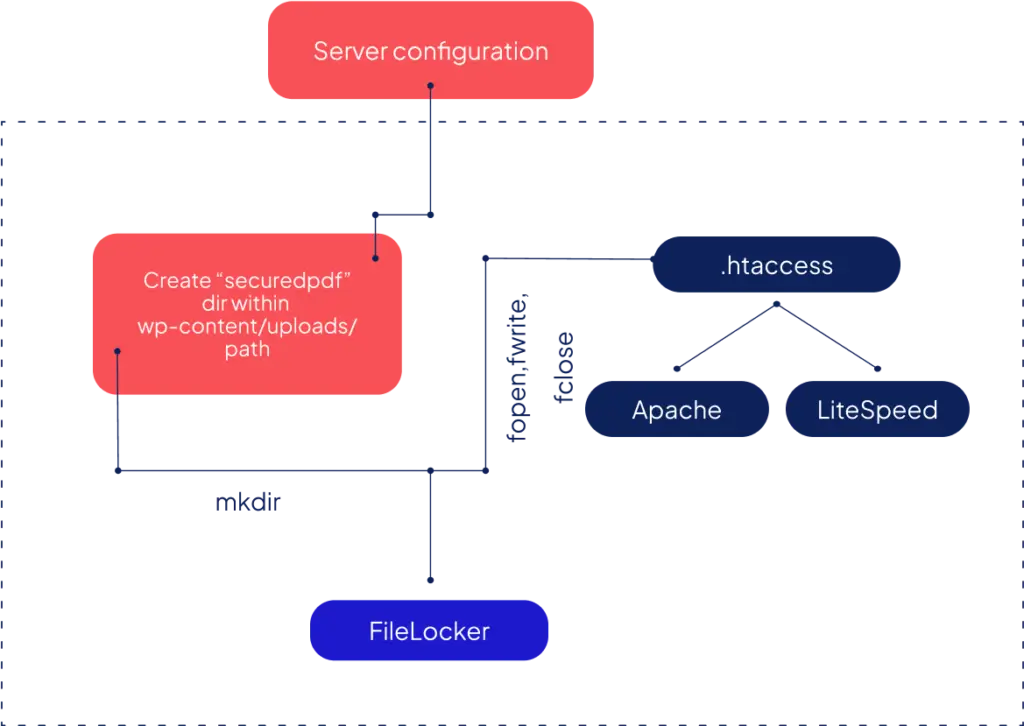
The implementation included:
- configuring the plugin so that all files were stored in a secure directory accessible only to logged-in users
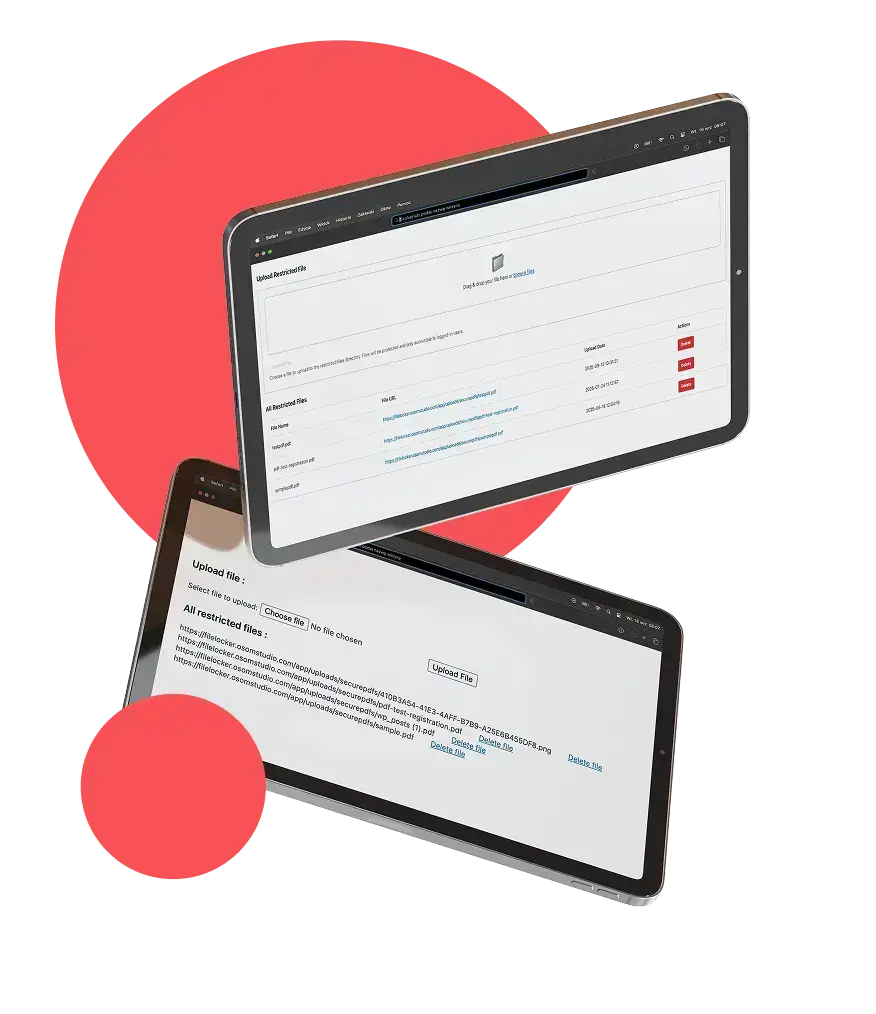
- an intuitive WordPress panel designed for ease of use – administrators can simply drag & drop files
- a file list in table format (with upload date and sorting), which makes the team’s daily work easier
- redirecting non-logged-in users who try to open a file – for example, to the homepage or a CTA page. The scenario is clear: a non-logged-in user clicks a link, and instead of the content they see a message prompting them to log in or go to the offer page.
The Results: Reliable Access Control

100% effective
access control:
reports are visible only to logged-in users,

Elimination
of server compatibility issues (Nginx vs Apache)

Easier
file management
for administrators thanks to the intuitive panel

Improved security
and process consistency – the team no longer needs to manually guard files or worry about bypassed protections
Conclusion: FileLocker is a scalable tool for gated content
Our work demonstrates the practical use of FileLocker as a tool for protecting premium
content on a website – giving full control over who can access and download key materials. Beyond reports or gated articles, it can also be used to secure training materials, internal documentation, design assets, price lists, or any other type of file that should only be available to authorized users.


Symphony of eCommerce – Apogee Case Study

WooCommerce development

Selling SaaS – Vromo Case Study
WordPress development
View
Is there a project on your horizon? Brief us in!

Let us know when you’re free, and we’ll schedule a short intro meeting online. You tell us about your project, we will ask questions, you will ask questions and max. 30 minutes later, we will know if we’re the right fit.